This article explains how to disable Two-Factor Authentication (2FA). 2FA adds an extra layer of security by requiring a code generated on your mobile device. Once enabled, you need this time-sensitive code each time you log in or make a withdrawal.
How to Disable 2FA on Web
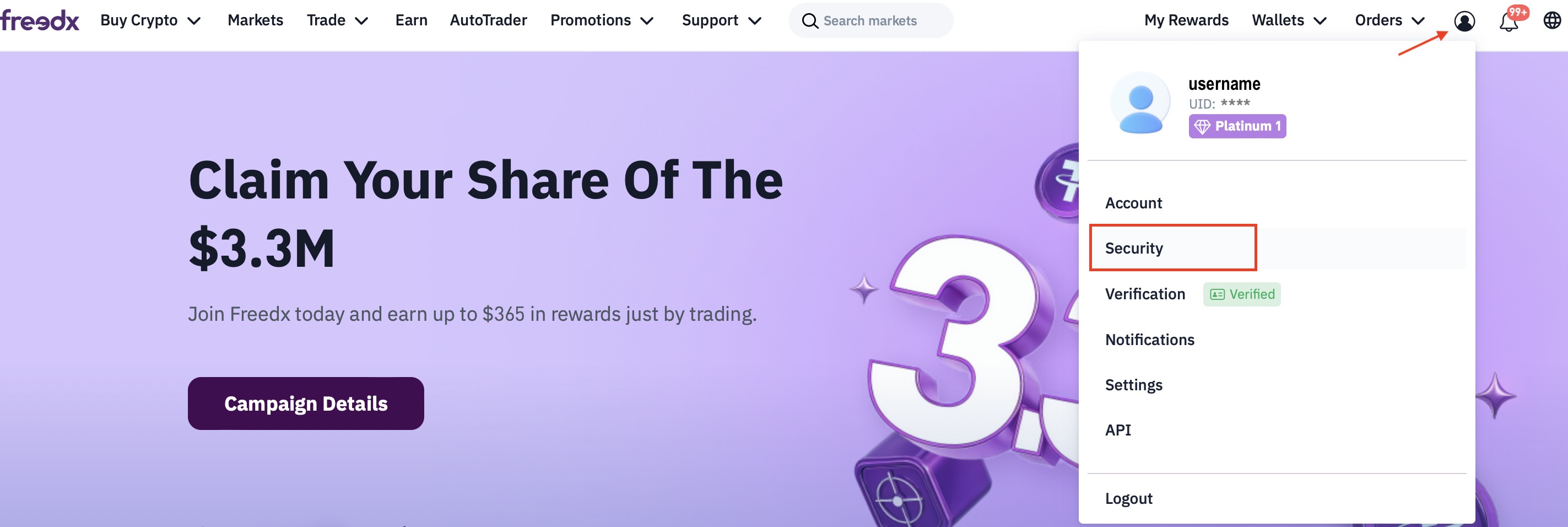
Log in to your account.
Navigate to the Security tab.
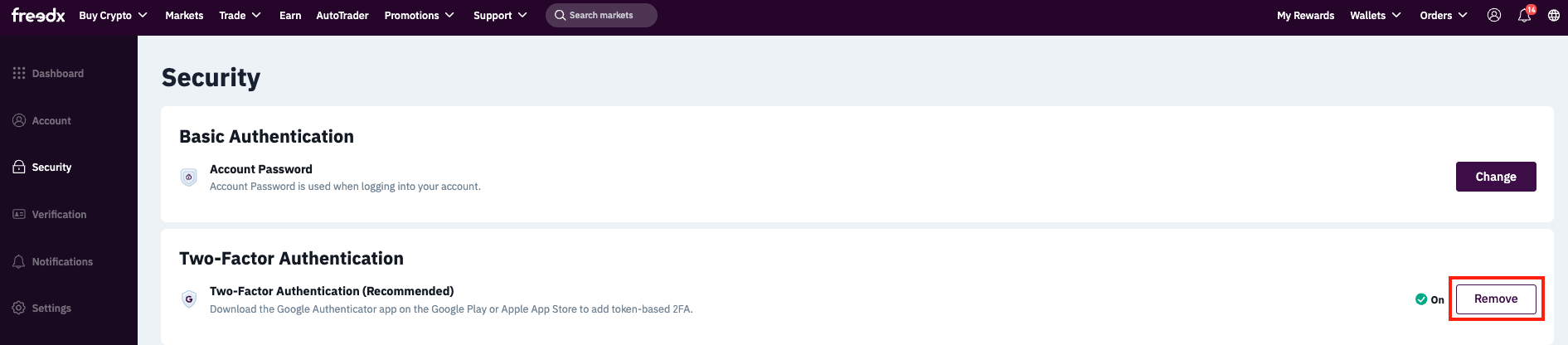
Find Two-Factor Authentication (2FA) and click Remove.
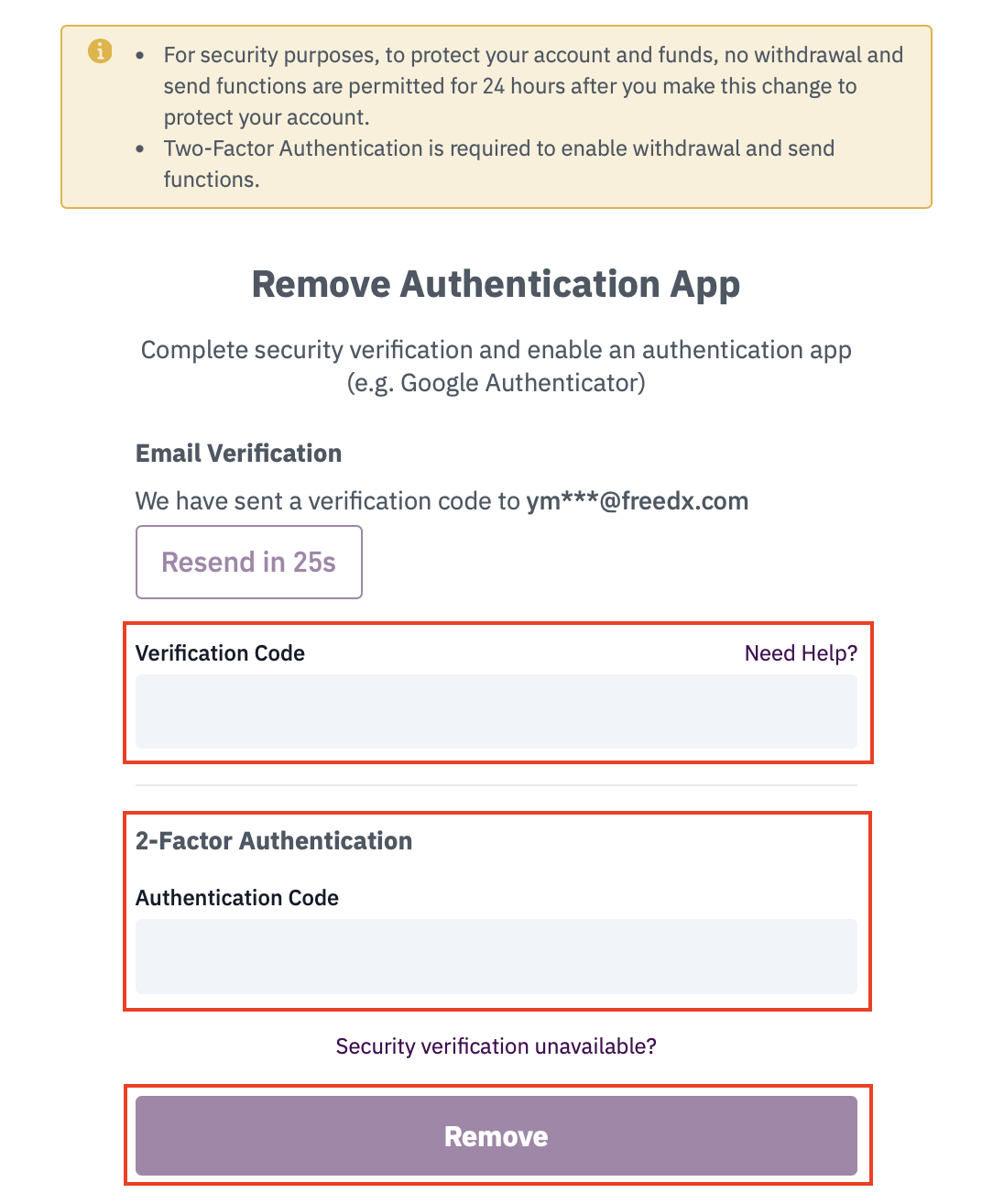
A verification code will be sent to your email, check your inbox and enter the code in the required field.
Enter the 2FA code from your authentication app.
Click Remove.
Done, your 2FA has now been disabled!
How to Disable 2FA on the Mobile App
Open the app.
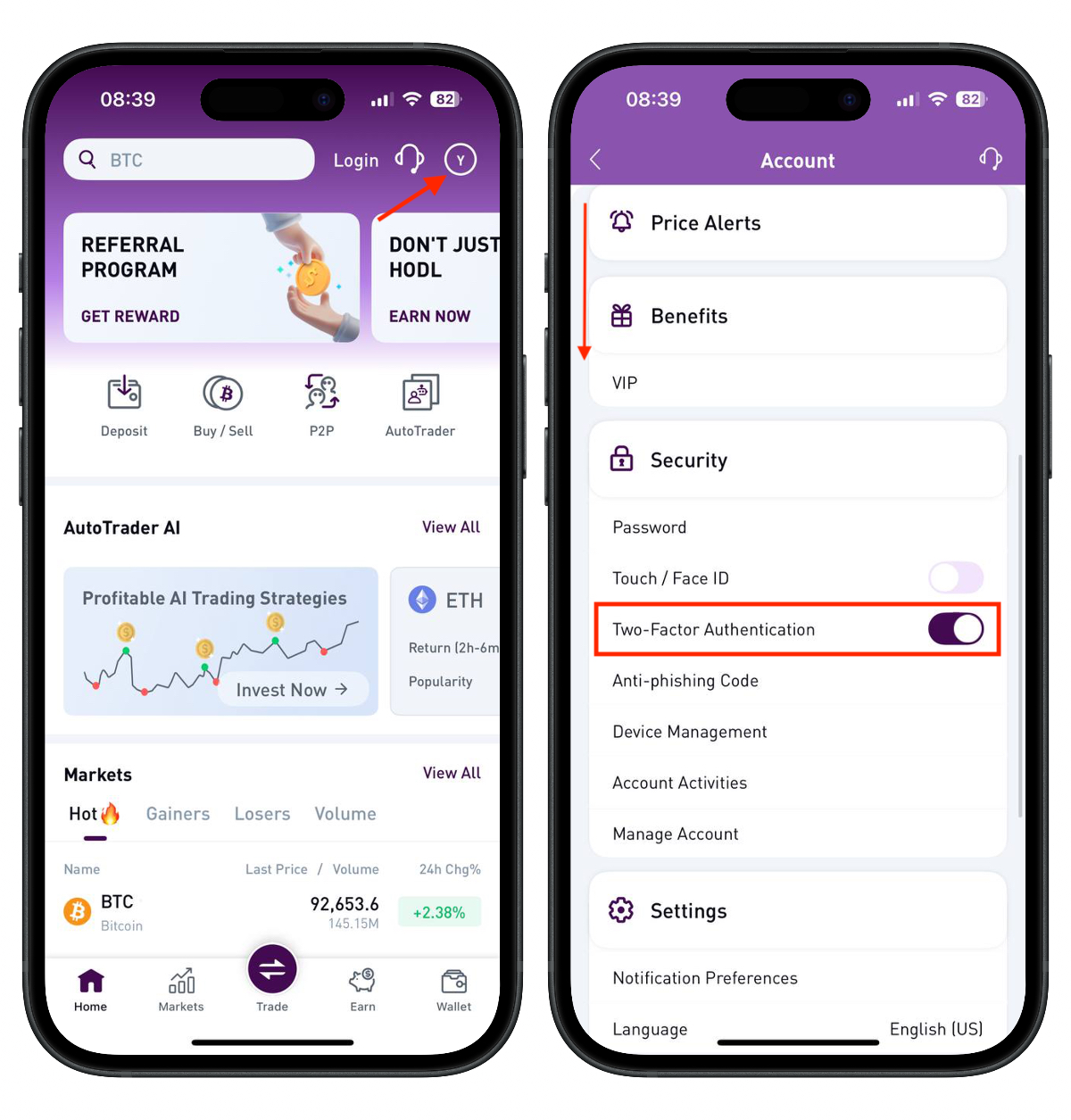
Tap your Profile icon in the top-right corner.
Scroll down to the Security section.
Disable the toggle for Two-Factor Authentication.
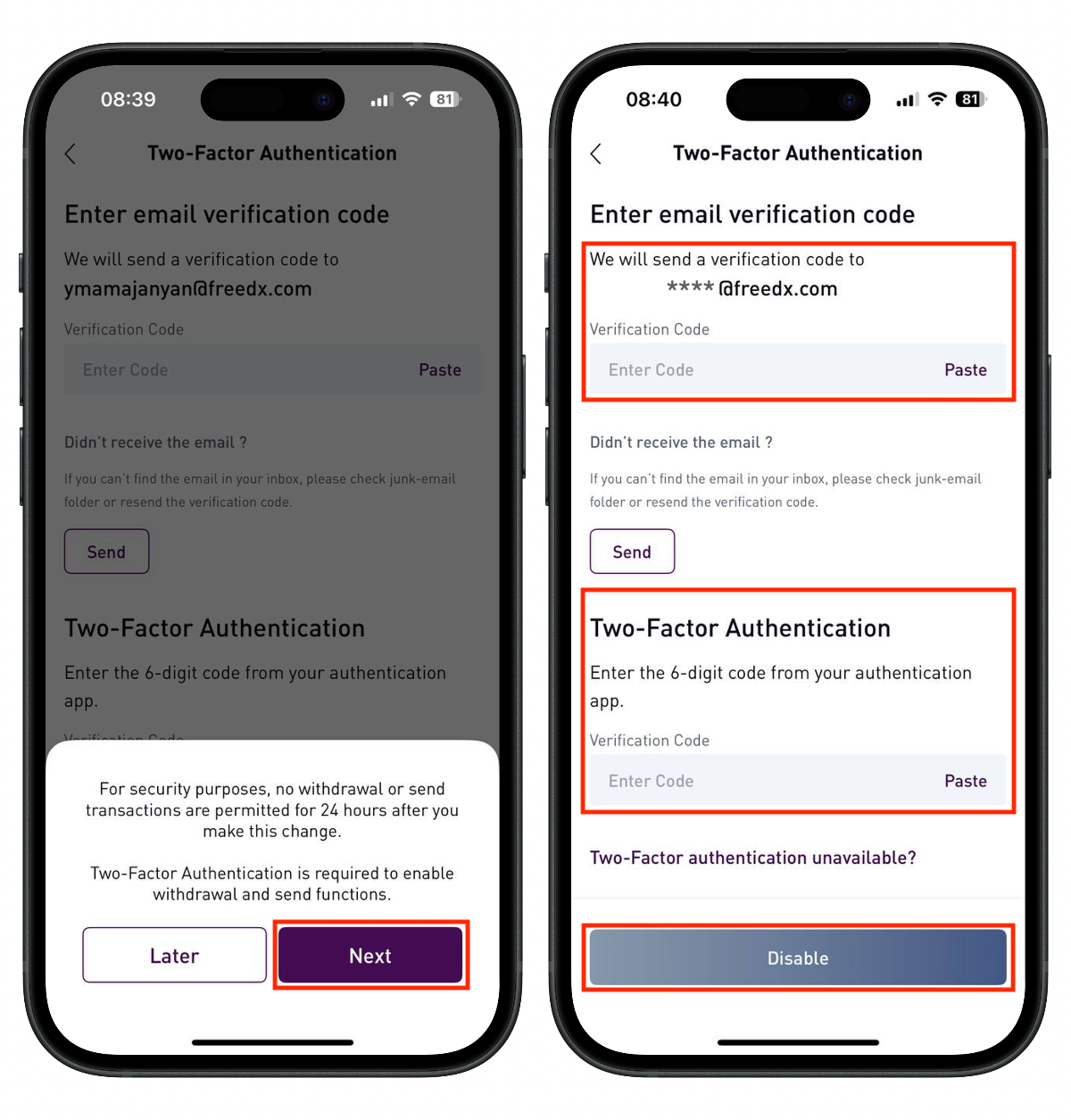
Review the security notice and tap Next.
A verification code will be sent to your email, check your inbox and enter the code.
Enter the 2FA code from your authentication app.
Tap Remove.
Done, your 2FA has now been disabled!
Important Note: for security reasons, withdrawals and send functions will be disabled for 24 hours after you turn off 2FA, to protect your account and funds.
Was this article helpful?
That’s Great!
Thank you for your feedback
Sorry! We couldn't be helpful
Thank you for your feedback
Feedback sent
We appreciate your effort and will try to fix the article