Table of Contents
- Introduction to Savings
- Key Features
- Fixed Savings
- How to use Fixed Savings on Freedx Web platform?
- How to use Fixed Savings on Freedx Mobile App? - Flexible Savings
- How to use Flexible Savings on Freedx Web platform?
- How to use Flexible Savings on Freedx Mobile App? - Managing Savings
Introduction to Savings
Freedx Earn offers a simple way to generate interest on your assets. One of the available earning options is crypto savings. Essentially, users provide their assets to the platform and receive interest payments in return.
Crypto savings lets users earn interest by depositing their assets into an interest-bearing account managed by a platform, while staking involves locking tokens directly on a blockchain to support network operations and earn protocol-based rewards.
Key Features:
- Term of Savings: Choose between 7, 14, 30, 60 or 90 days.
- Staking Options: Fixed and Flexible.
- Auto-Renewal Enabled: Staking requires auto-renewal to be activated.
- 24-Hour Frozen Period: Assets are frozen for the first 24 hours after staking.
Fixed Savings
With Freedx fixed savings you will earn more rewards. The interest rate of fixed term deposit is guaranteed during the period of deposit. Interest pay-out will be cancelled upon early redemption.
How to use Fixed Savings on Freedx Web platform?
- Log in to your account.
- Navigate to the Earn section.
-
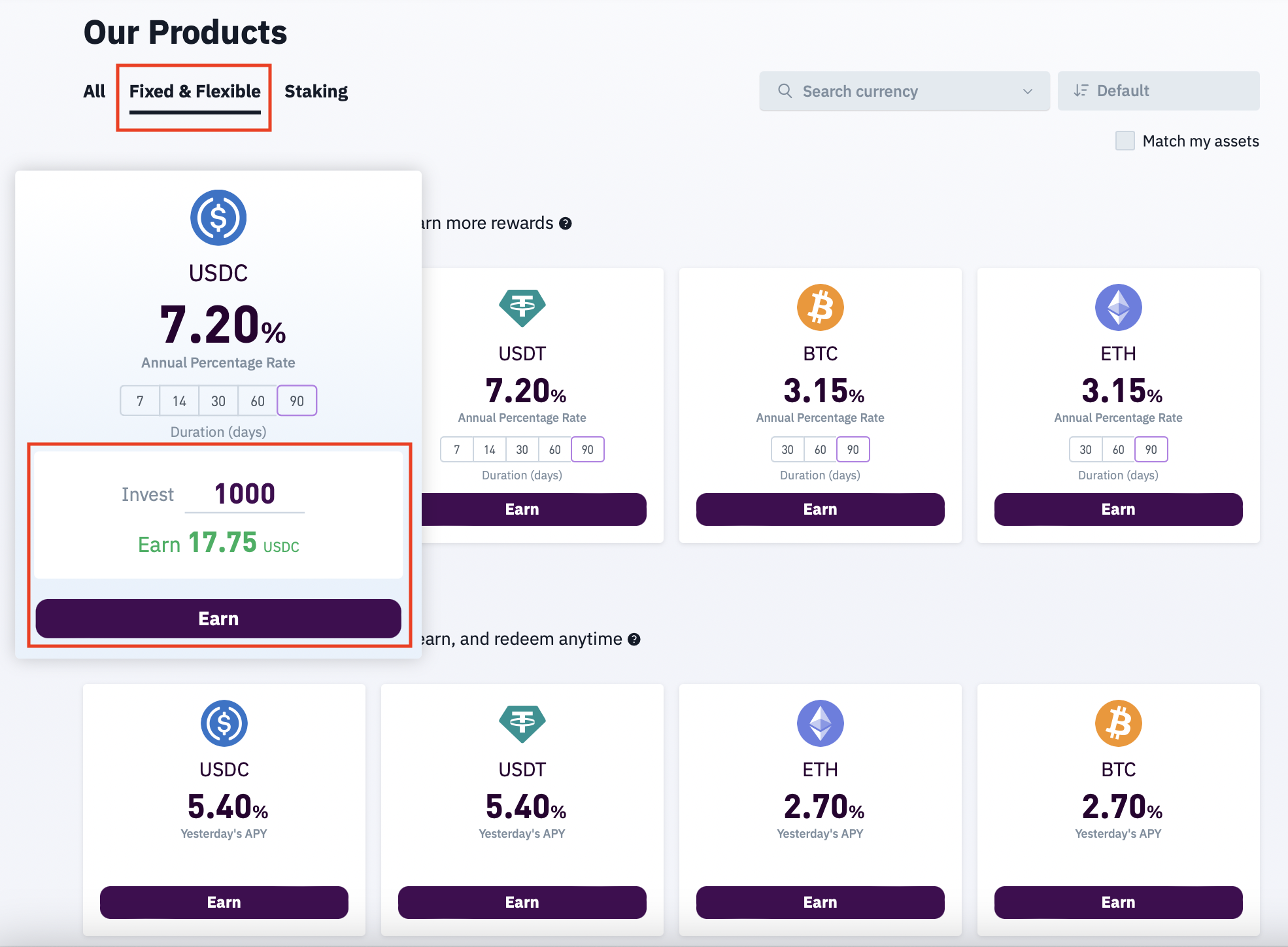
Choose Fixed & Flexible:
- Browse the available earning products.
- Select the asset.
- Check the amount earning by adding the amount you are going to invest.
-
Click on Earn from the available options.
-
Choose a Savings Terms:
- Input the amount of assets to be invested.
- Choose the staking duration (7,14, 30, 60 or 90 days).
- Enable auto-renewal if needed.
- Review the earn terms.
- Agree to Freedx's Terms & Conditions.
- Click Start Earning.
The interest rate of fixed term deposit is guaranteed during the period of deposit. Interest pay-out will be cancelled upon early redemption. For fixed products, the APR (annual percentage rating) is locked when you deposit your assets.
How to use Fixed Savings on Freedx Mobile App?
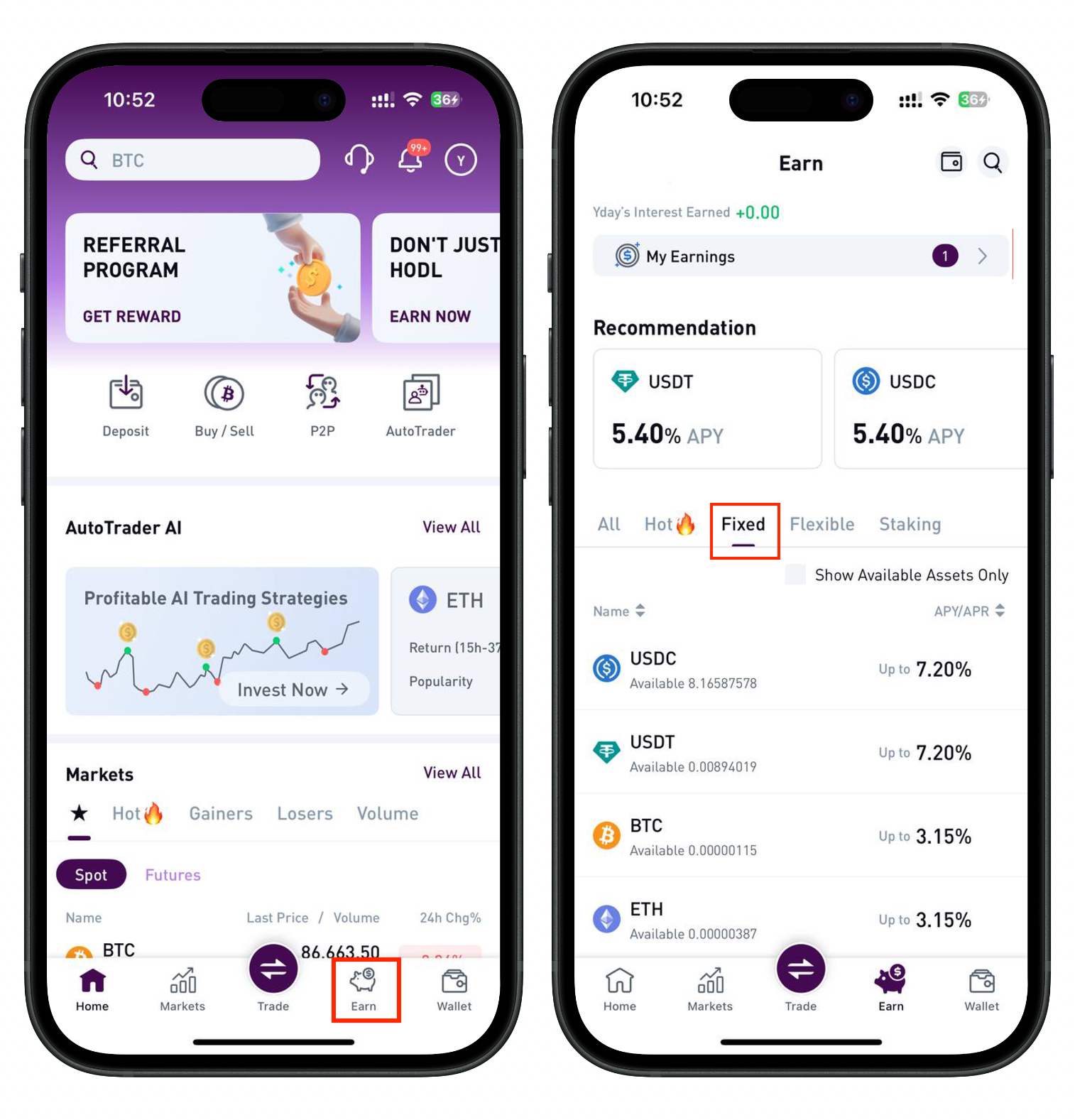
- Run Freedx app on your mobile device.
- Tap Earn from the bottom menu.
- Select Fixed term.
-
Choose the available asset.
-
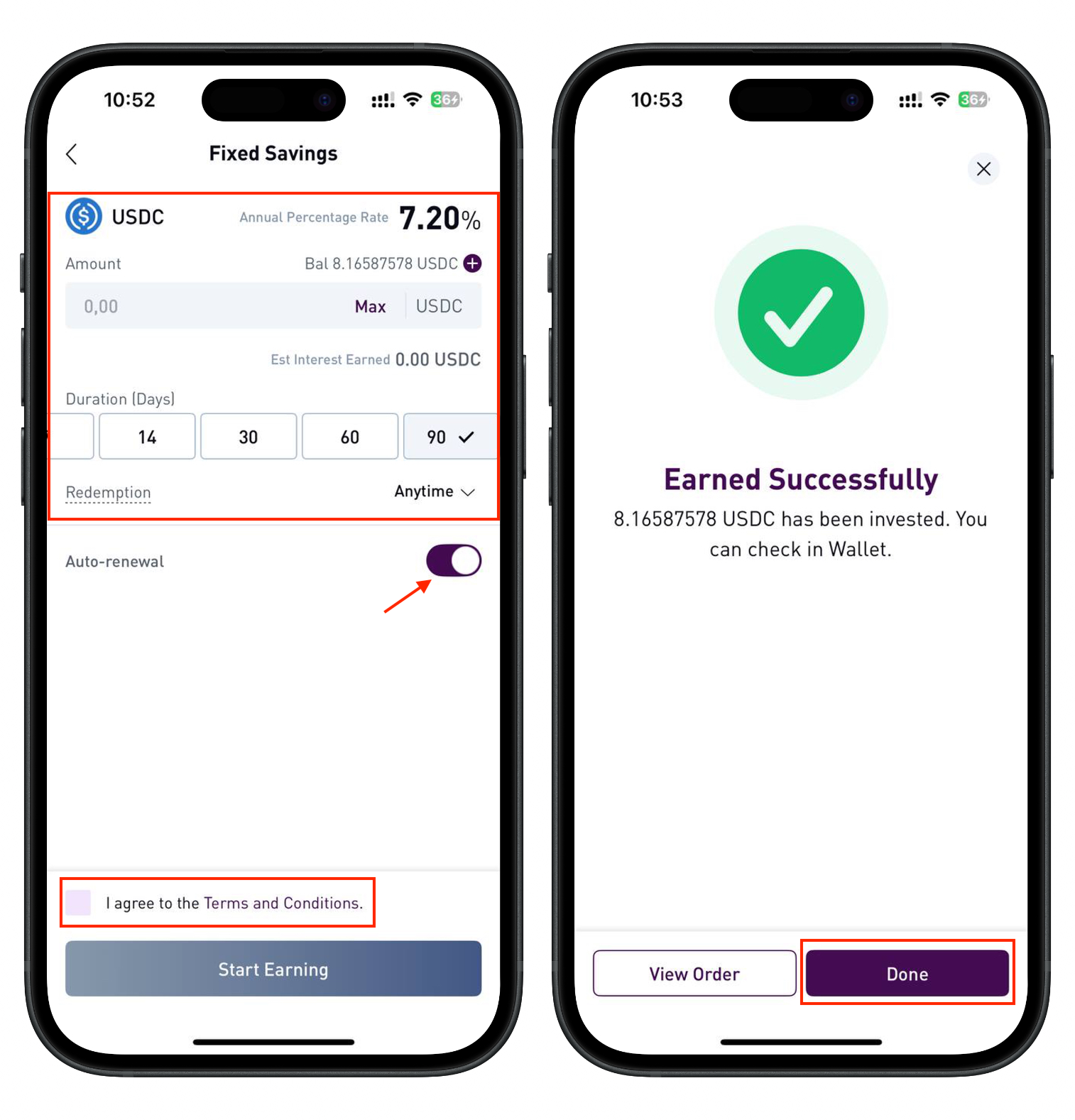
Choose a Savings Terms:
- Input the amount of assets to be invested.
- Choose the staking duration (7,14, 30, 60 or 90 days).
- Enable auto-renewal if needed.
- Review the earn terms.
- Agree to Freedx's Terms & Conditions.
-
Click Start Earning.
Flexible Savings
With Freedx flexible savings term deposit allow you to redeem anytime. The interest rate is variable with compounding interest pay-out. Rewards are credited at 22:00 UTC each day after the first payout. Compounding interest is calculated based on the initial deposit plus accumulated interest. Comparing to non-compouding, the total return on investment is higher when compounding interest applies.
How to use Flexible Savings on Freedx Web platform?
- Log in to your account.
- Navigate to the Earn section.
-
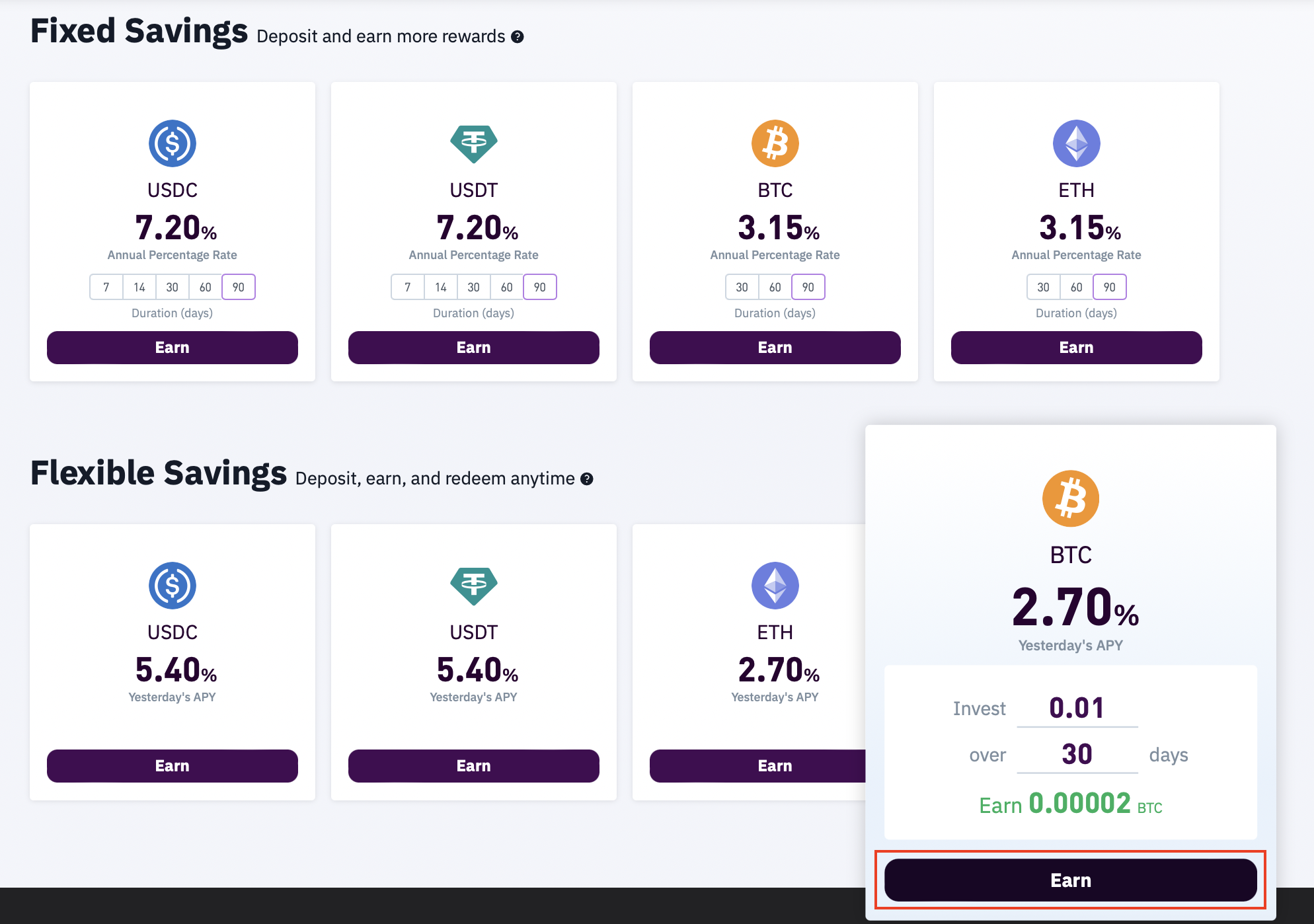
Choose Fixed & Flexible:
- Browse the available earning products.
- Select the asset.
- Check the amount earning by adding the amount you are going to invest.
- Click on Earn from the available options.
-
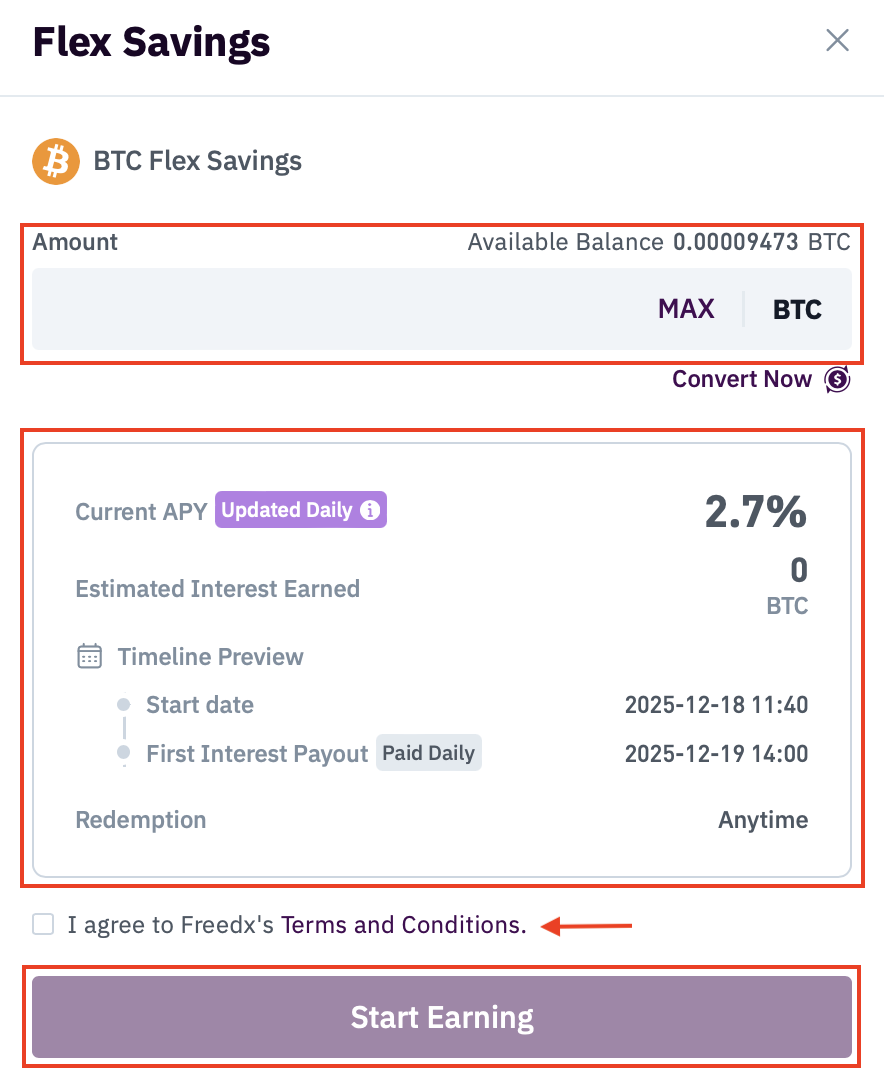
Choose a Savings Terms:
-
Input the amount of assets to be invested.
- Choose the staking duration (7,14, 30, 60 or 90 days).
- Review the earn terms.
- Agree to Freedx's Terms & Conditions.
- Click Start Earning.
How to use Flexible Savings on Freedx Mobile
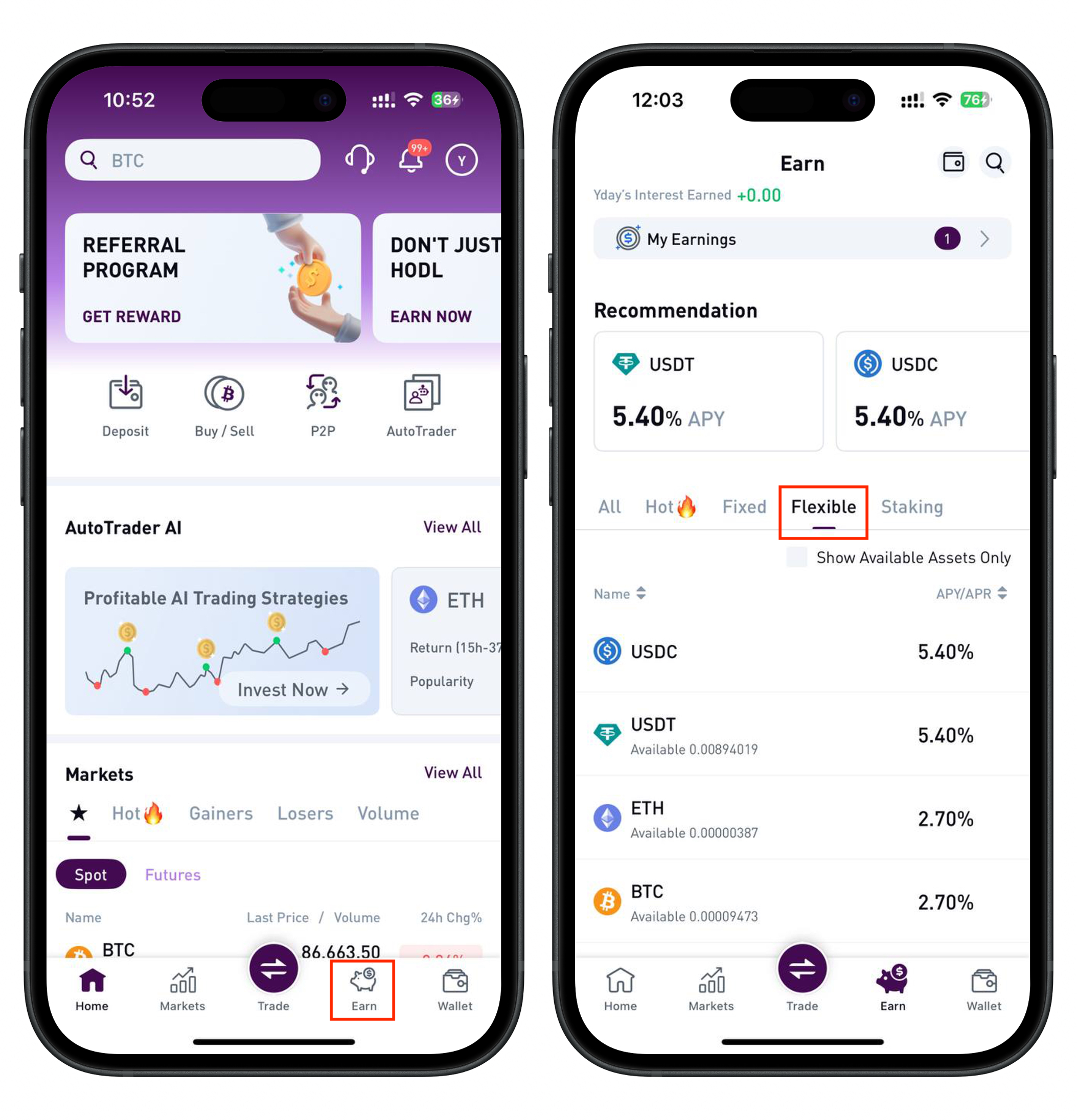
- Run Freedx app on your mobile device.
- Tap Earn from the bottom menu.
- Select Flexible term.
-
Choose the available asset.
-
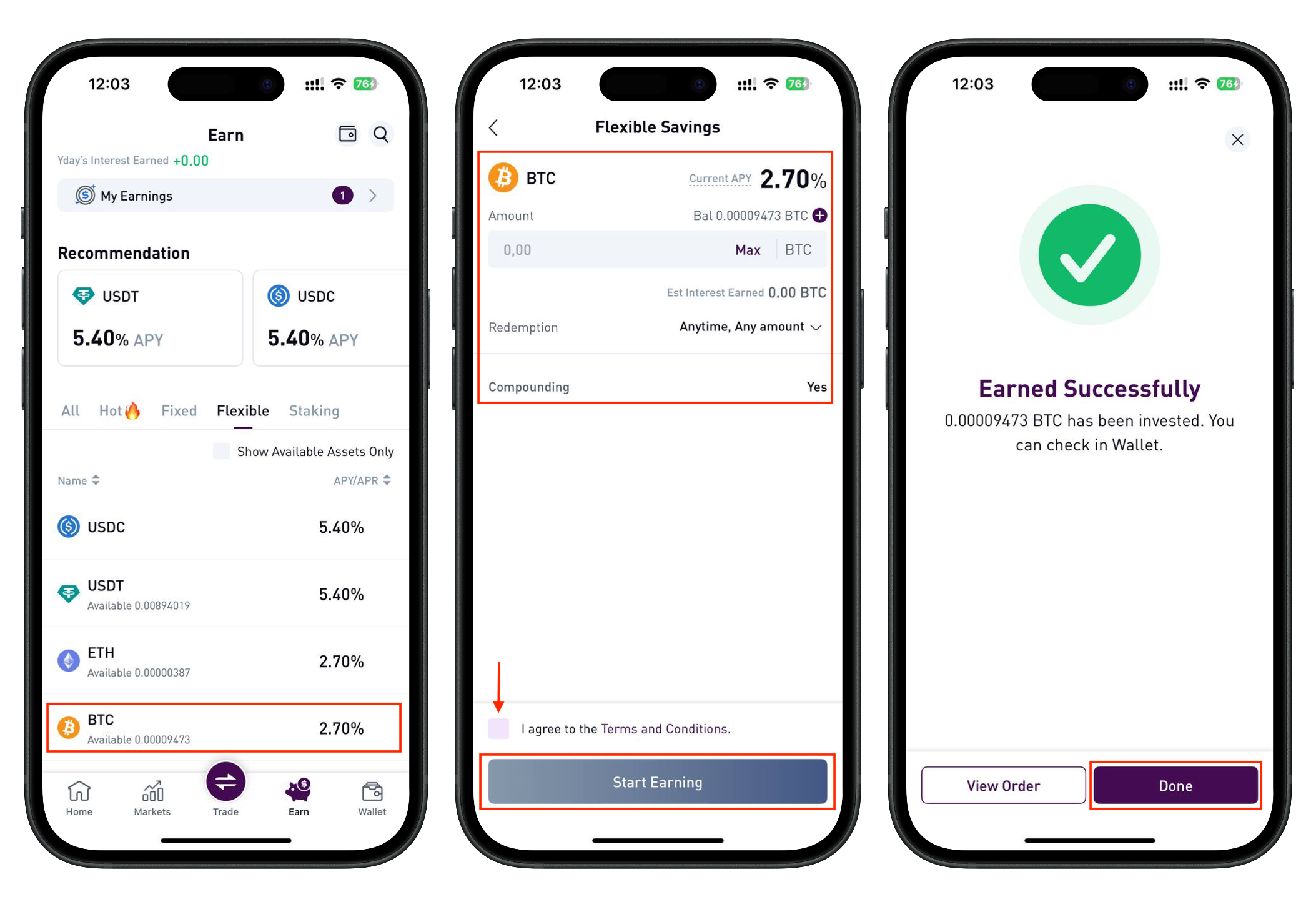
Choose a Savings Terms:
- Input the amount of assets to be invested.
- Choose the staking duration (7,14, 30, 60 or 90 days).
- Review the earn terms.
- Agree to Freedx's Terms & Conditions.
-
Click Start Earning.
Managing Savings
In order to manage savings on the web platform, you can tap on My Wallet button on the Earning page. 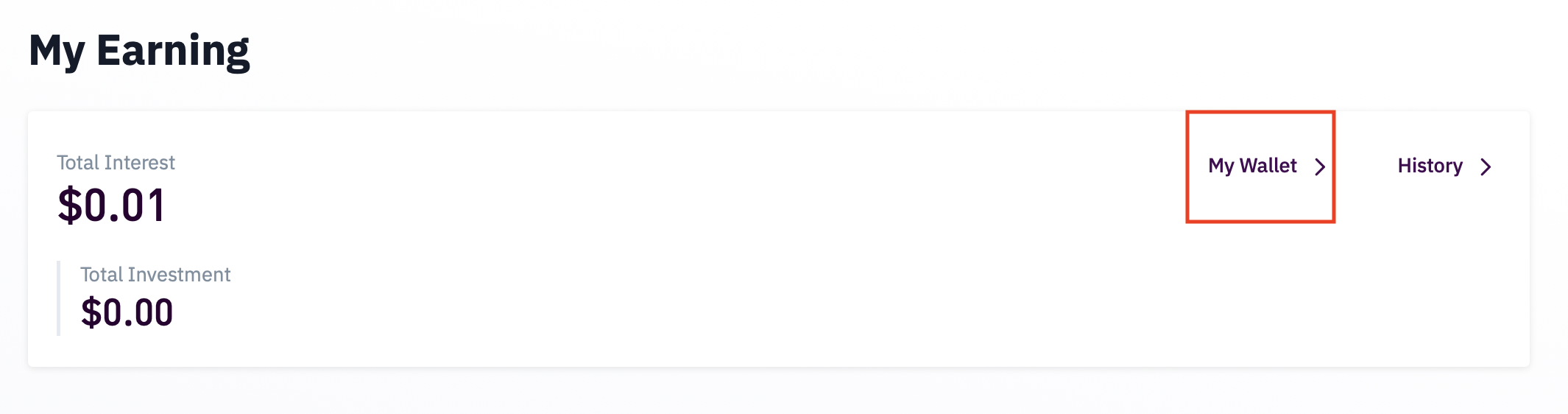 Or by navigating to Earn section in your Wallet: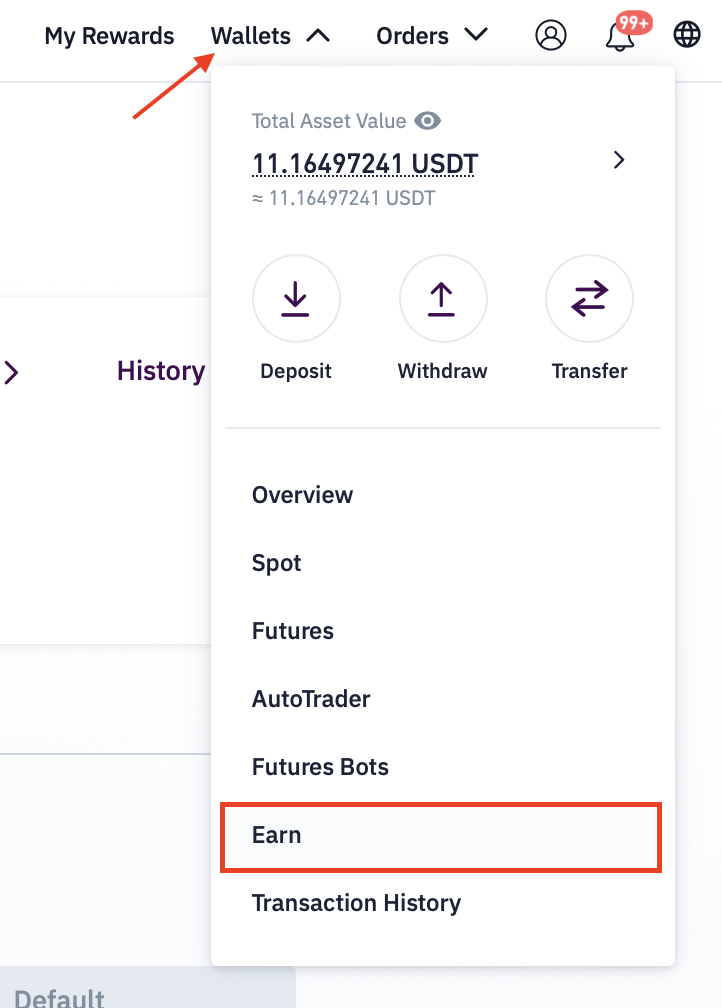
In order to manage savings on the mobile app, you can tap on My Wallet button on the Earning page.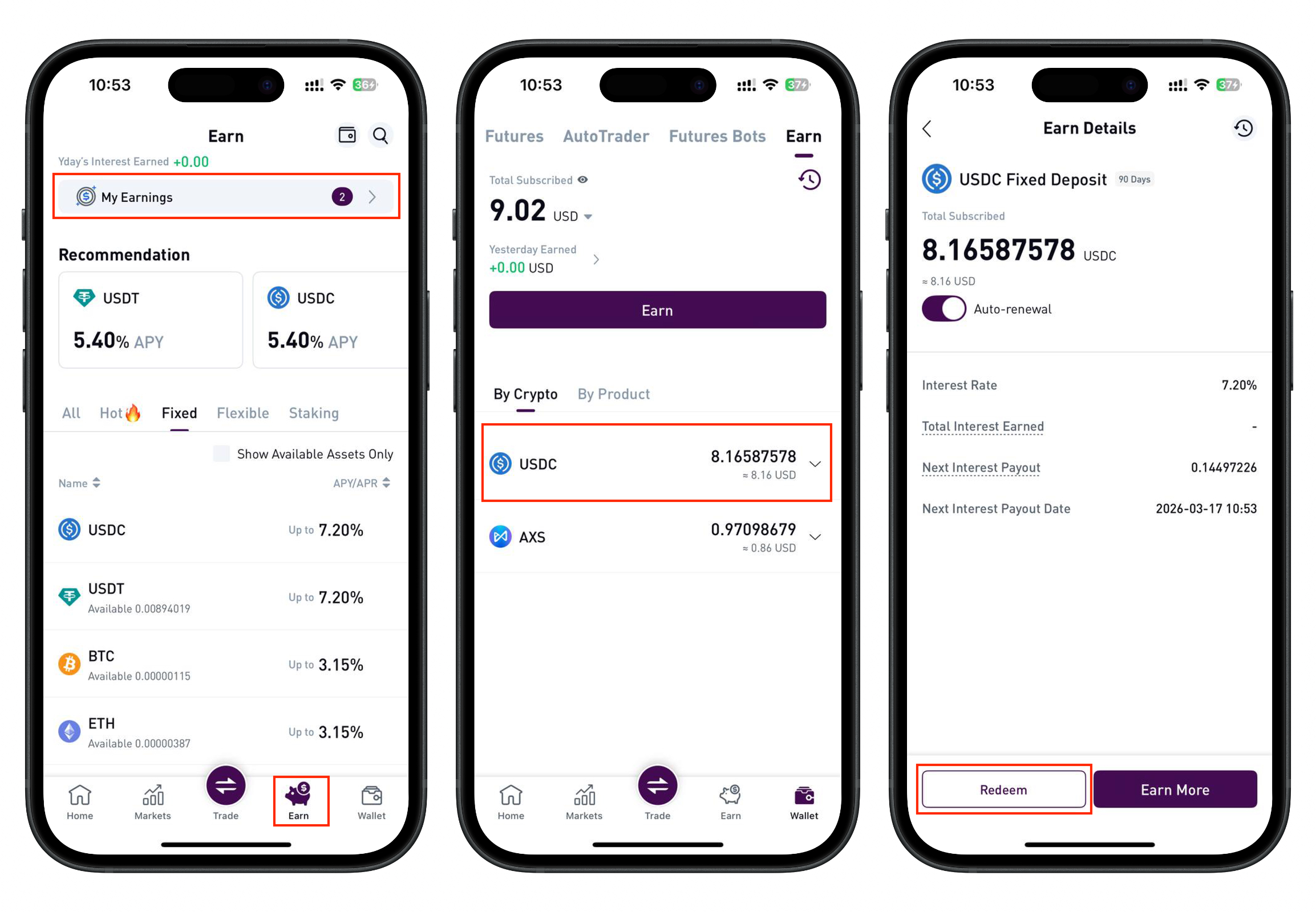
Was this article helpful?
That’s Great!
Thank you for your feedback
Sorry! We couldn't be helpful
Thank you for your feedback
Feedback sent
We appreciate your effort and will try to fix the article