Follow the below steps to create an API key for your account via the Web:
- Tap the Profile icon in the top right corner.
- Tap the username and navigate to the API tab from the left menu.
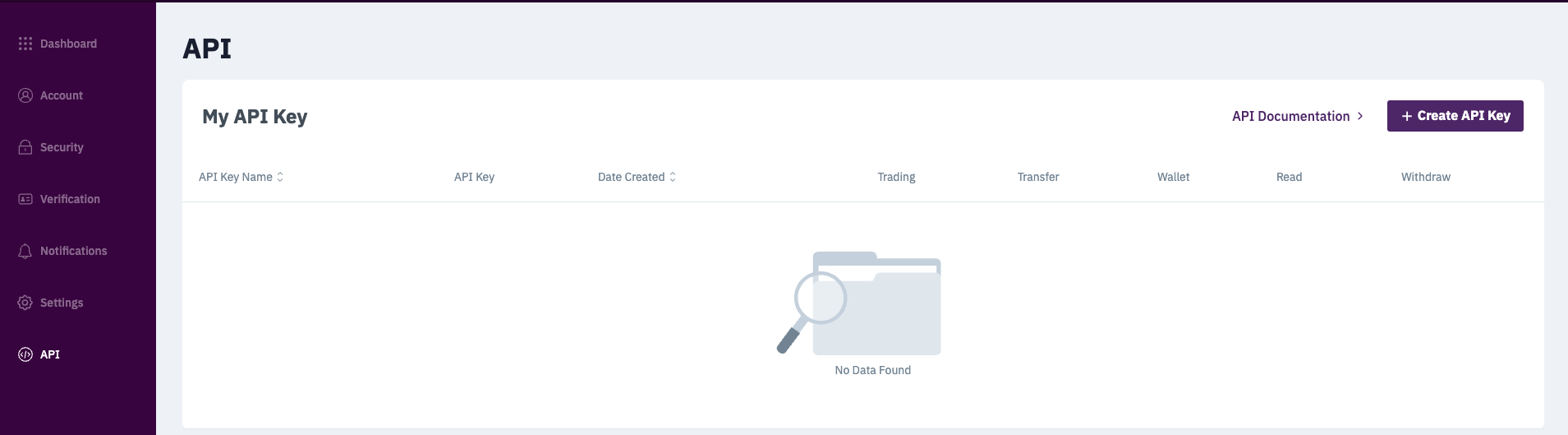
- Tap Create API button.
- Select the required options and tap Create button.
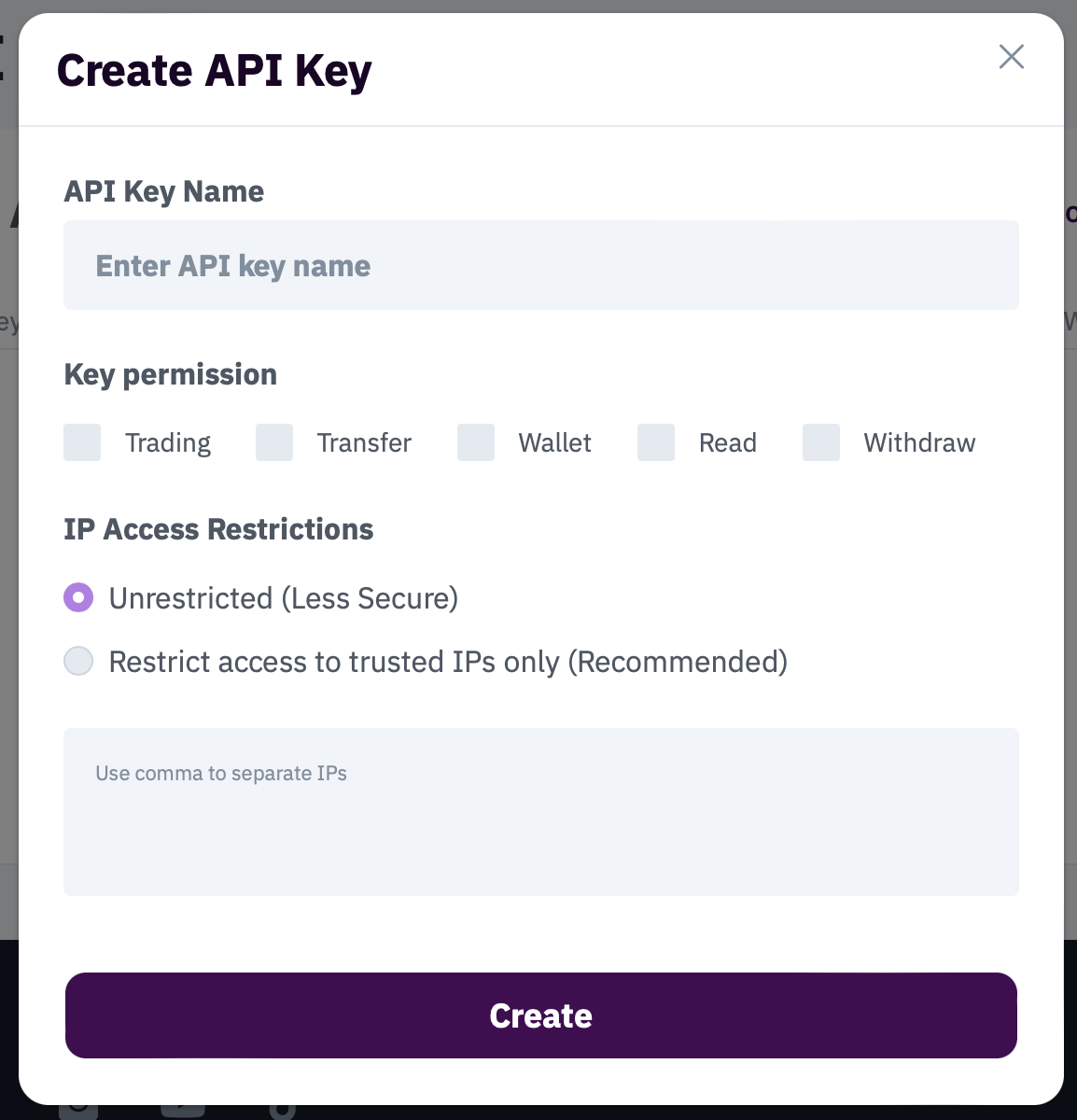
*Note: You need to have the 2FA activated to get access to the feature.
When creating an API key, it will include a private key (which is shown only once, right after the key is created) along with the API key itself. So please ensure to keep a private key in a safe place if you want to reuse it again.
Follow the below steps to create an API key for your account via the App:
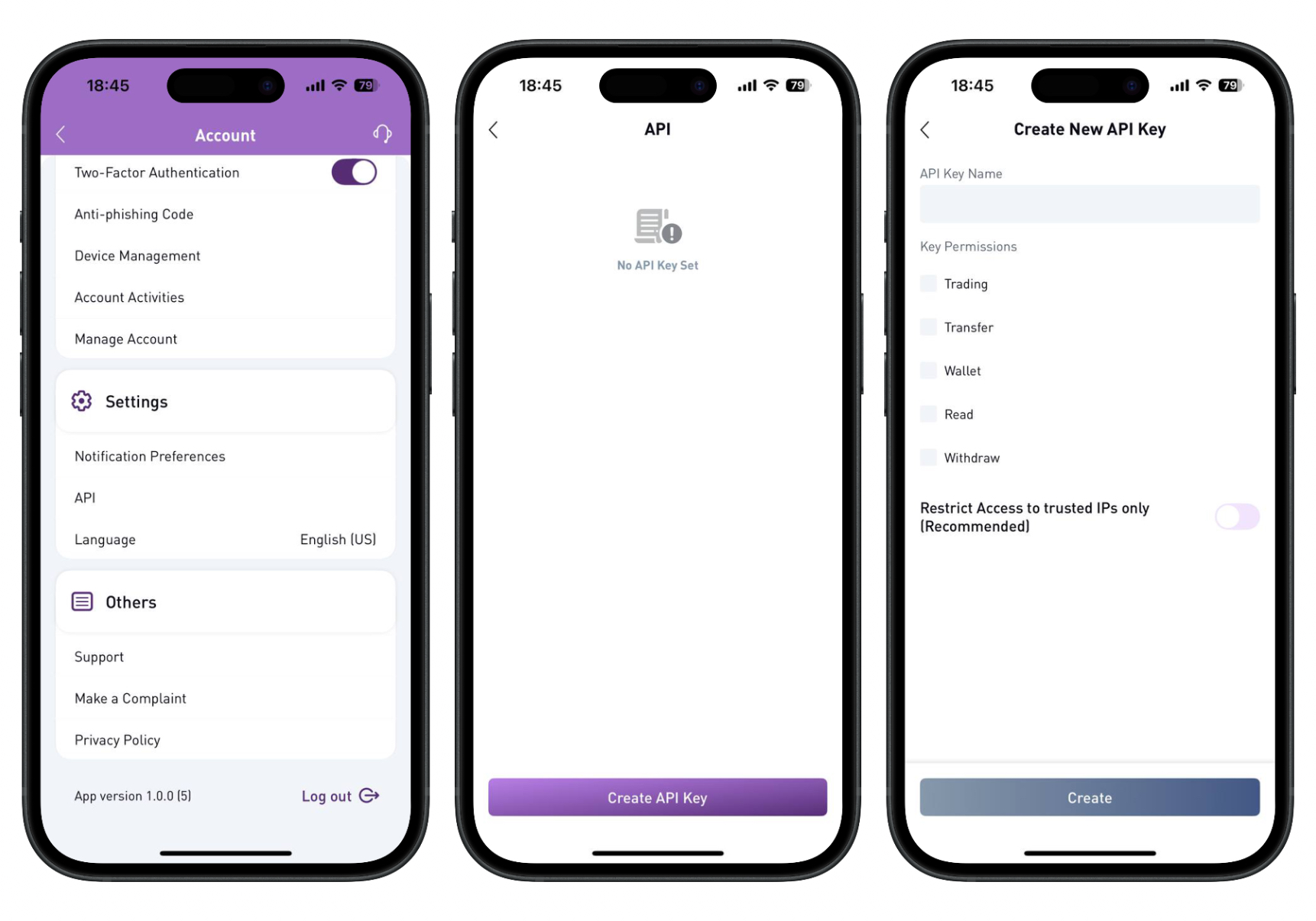
- Run the app and navigate to your Account.
- Scroll down and tap API button in Settings.
- Create API Key.
- Add the API Key Name and choose the permissions you need.
- Tap Create button.
Was this article helpful?
That’s Great!
Thank you for your feedback
Sorry! We couldn't be helpful
Thank you for your feedback
Feedback sent
We appreciate your effort and will try to fix the article