How do I enable or disable notifications?

Created by Raj G, Modified on Mon, 20 Oct at 6:44 PM by Helen M

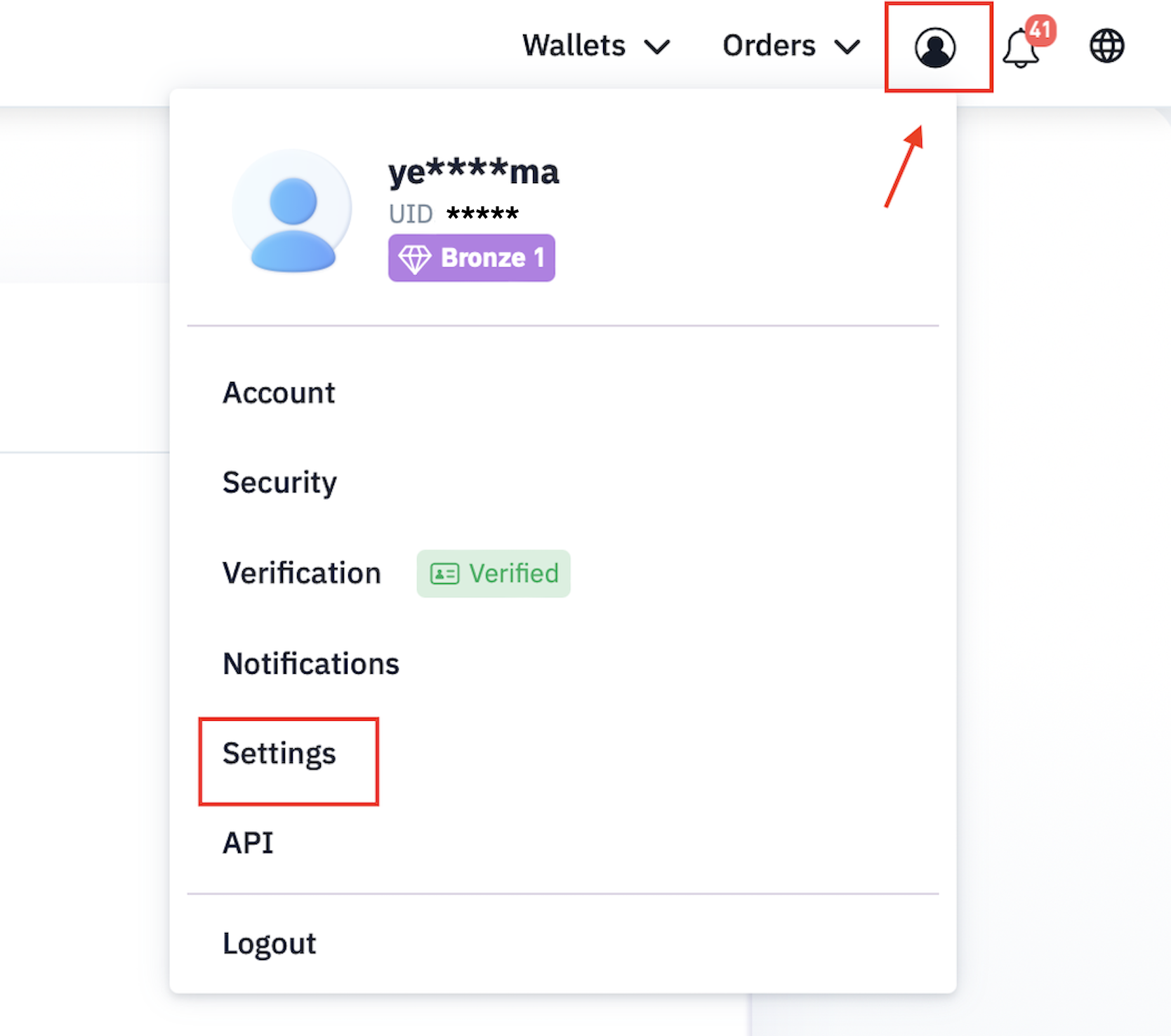
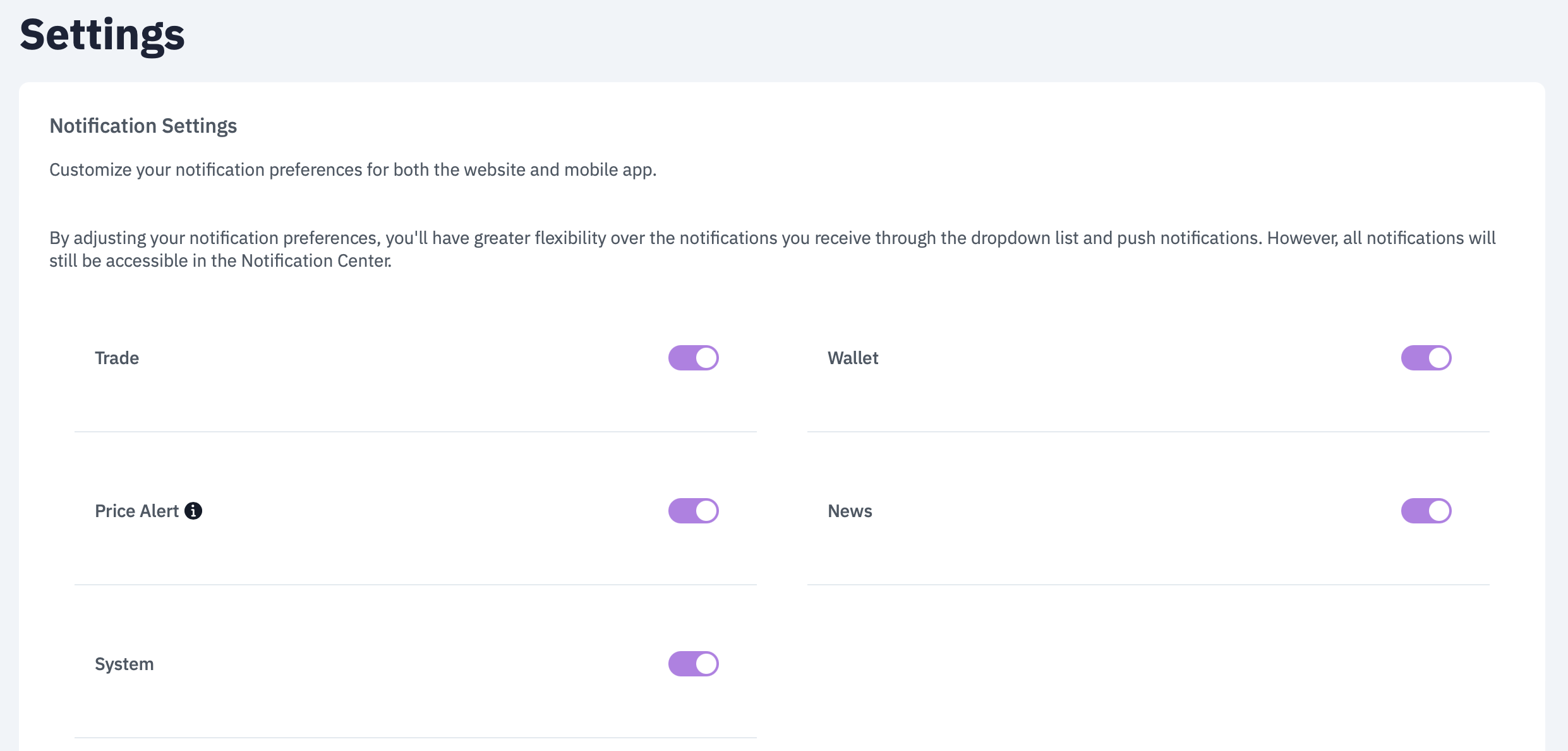
Follow the below steps to customize your notification settings on the Web:

  1. Tap the Profile icon in the top-right corner of the screen.

  2. Navigate to the "Settings" tab.


  3. You can now enable or disable the notifications as per your preference.


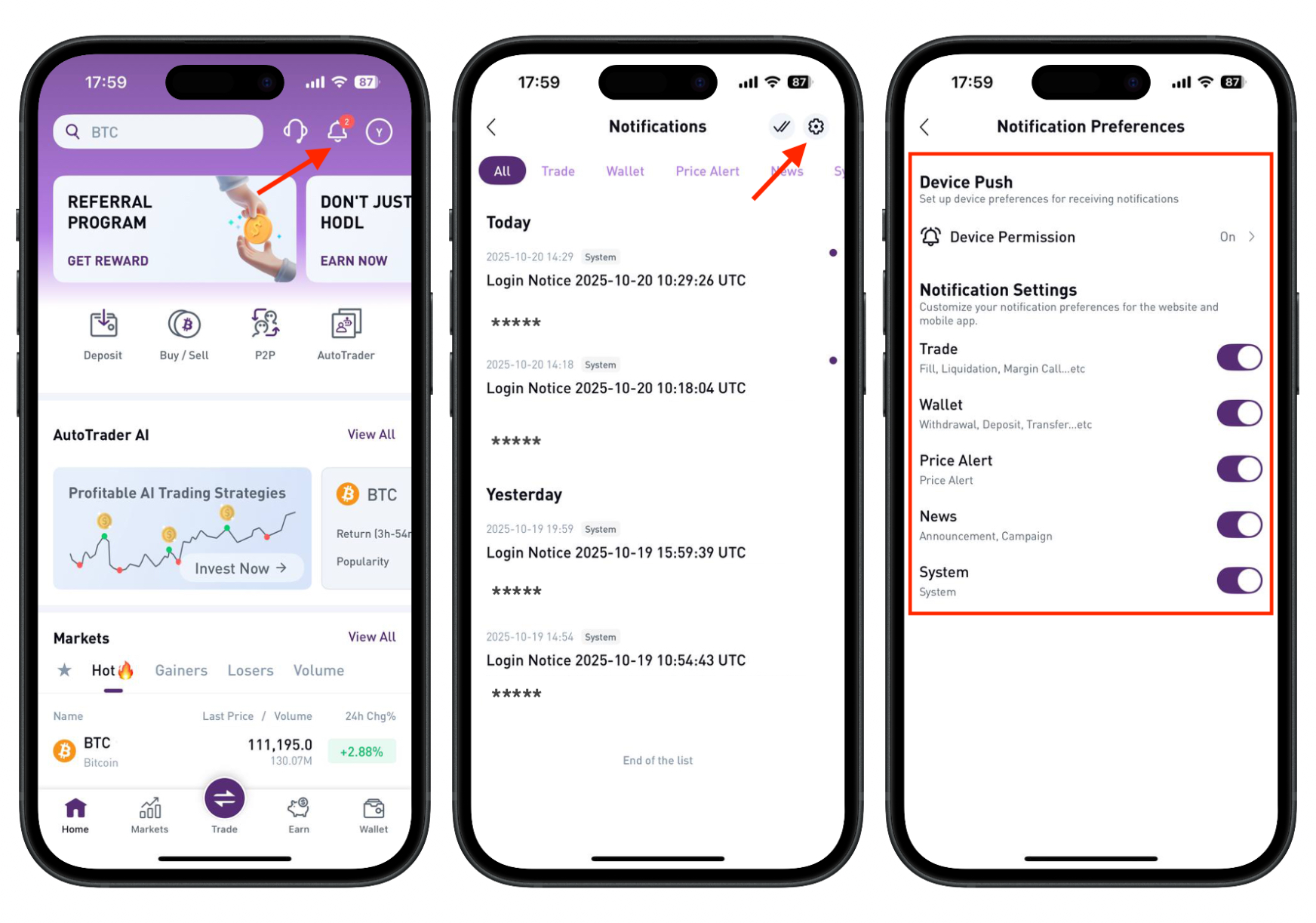
Follow the below steps to customize your notification settings on the App:


  1. Run the app.
  2. Tap on the notification icon on the top right corner.
  3. Navigate to Settings.


Was this article helpful?

That’s Great!

Thank you for your feedback

Sorry! We couldn't be helpful

Thank you for your feedback

Let us know how can we improve this article!

Select at least one of the reasons
CAPTCHA verification is required.

Feedback sent

We appreciate your effort and will try to fix the article